Overnight camp software

Run the whole residential session, from the first bus to the last pickup

An overnight camp doesn't close at five. For days or weeks it's a small town: cabins, meals, a health center, activities spread across a site, and a staff team awake around the clock - while every parent is somewhere else. CampOrganizer runs that whole town in one place. The health form, the cabin list, the night-shift handover, the photo a mother opens two time zones away, and who may collect the child on the last day all work from the same record.

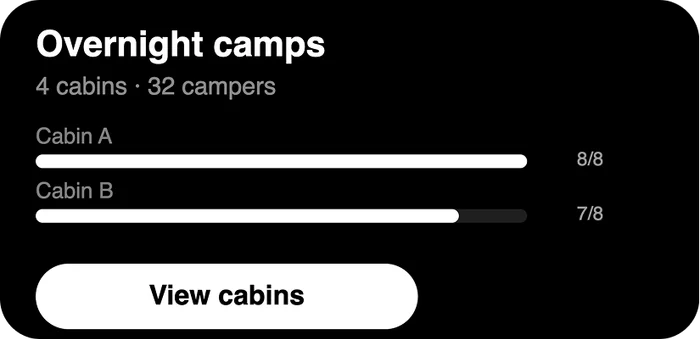
Cabins, staff, health, and pickup on one platform. Families kept close while their child is away.

Built for sessions that have a night shift

Overnight camp software runs a residential program end to end: registration and health forms, cabin and group assignments, round-the-clock staffing, the daily schedule, check-in and authorized pickup, parent communication, and the camper record that ties it all together. In CampOrganizer, a session is a residential stay with its own dates, cabins, staff rotation, and schedule. Owners and administrators build it in Camp Hub; the session team runs it from Session Console; counselors carry their shift in Counselor Mobile; and parents follow the stay in Family. A camper and their whole family are one lasting record: the health form, the medications, the emergency contacts, and who may collect the child on the last day are captured once and surfaced to the right staff at the moment they need them - on the first evening, at the 7am medication round, and at the gate on pickup day. A residential session is not a long day. It's many days, many people, and a child whose parents aren't in the room.

A two-week stay, run on paper and walkie-talkies

Most camp software stops at registration. So the hardest part of an overnight camp - actually running it - falls back on binders and group chats. The cabin list is a printout taped to a door. The nurse keeps medications in a paper log. A counselor coming on at night reads the handover notes from the one before, if they were written down. A parent emails at 9pm asking how their child slept, and someone has to go and find out. Multiply that across twelve cabins, a rotating staff team, activities spread over a site, and a session that never pauses - and the director spends the stay chasing information instead of leading the camp. CampOrganizer replaces that with one system that runs the residential day and night and remembers every camper.

One session, from the first bus to the last pickup

Assign cabins, bunks, and groups

Assign cabins, bunks, and groups

Build the session's cabins, Teams, and activity groups in Session Console, assign campers and the staff responsible for them - and when the first night makes a change necessary, change it once. Every roster follows.

Run the day, and the night, from one schedule

Run the day, and the night, from one schedule

Activities, meals, free time, and the evening program live on one schedule. The staff on shift see their part of it in Counselor Mobile, not on a printout that was out of date by breakfast.

Keep health where staff can act on it

Keep health where staff can act on it

Allergies, medications, and conditions are structured fields on the camper record, shown to the health team and to the responsible counselor at meals and activities, with each action recorded as it happens - not reconstructed from a paper log the next morning.

Keep families close while their child is away

Keep families close while their child is away

The feed, the photos, and the schedule reach parents in Family without a single phone call. A family two time zones away sees that their child is in the day - instead of wondering about it.

Check in and hand over safely

Check in and hand over safely

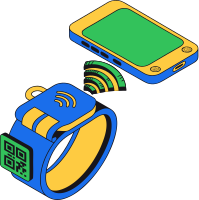
Arrival check-in, movement through the stay, and pickup by an authorized guardian are tracked, with Bracelets where you want them. No child leaves with the wrong person, and nobody reconstructs who collected whom.

Answered on one platform

How do I run cabin and bunk assignments without a spreadsheet nobody trusts?
Cabins, bunks, and groups are built in the session and assigned to campers and staff in one place. A late swap updates the roster everyone works from - not the printout taped to the cabin door.
How do I make arrival day a welcome, not a queue of missing forms?
Readiness is tracked per camper before the bus leaves: who's missing a health form, a consent, a pickup authorization. Reminders go only to the families who still owe something, so day one starts with children, not clipboards.
How do staff coming on at night know what happened on the shift before?
The schedule, the roster, tasks, and the camper information each role is allowed to see live on the staff phone. A counselor starting the night shift opens the current picture - not a handover that may or may not have been written down.
How do I keep medications and allergies safe over a two-week stay?
Medical and dietary information is classified, encrypted, and shown only to authorized staff - surfaced at meals, at activities, and at the health center, with each action recorded. Nothing depends on one paper log in one office.
How do I reassure parents whose child is away for two weeks?
The feed, the schedule, and the photos keep families informed in Family on their own device, and permission-based messaging reaches the right staff member. The office stops fielding the same anxious call fifteen times a day.
How do I share photos without a parent free-for-all?
Counselors share moments straight from their phone through the day into a private session gallery - screened automatically, moderated by a human. Families browse their own child's day on their own time; nothing is posted publicly.
How do I make sure no child leaves with the wrong person?
Authorized guardians are on the camper record, and check-out - with Bracelets at the gate - confirms who may collect each child. Pickup on the last day is a verified handover, not a crowd and a clipboard.
How do I know the headcount is right - per cabin, per activity, at lights-out?
Live attendance and the session roster show the real headcount per cabin and activity, and staff are assigned per session and Team. You see and hold the ratio across a rotating shift instead of guessing it in the dark.
How do I document an incident at 2am properly?
A report action is always one tap away in Counselor Mobile. The staff member on duty records or escalates against the right camper, cabin, and session while it's fresh - and the record is a by-product of handling it, not a form hunted for the next morning.
How do I run several sessions across a summer without rebuilding each one?
Copy a proven session with new dates, cabins, and staff. Session two of the summer starts from session one, not from a blank grid.

Sleepaway, residential, and multi-week programs

1

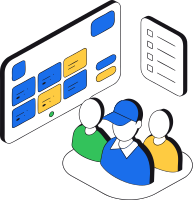
Traditional sleepaway camps

Multi-week stays with cabins, a rotating staff team, a full activity program, and families who want to see their child's day without a phone call.
Traditional sleepaway camps
2

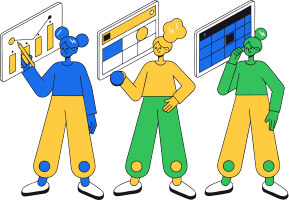
Short residential sessions and retreats

A few nights away with their own roster, health needs, and schedule - copied from your proven setup rather than rebuilt each time.
Short residential sessions and retreats
3

Specialty and travel programs

Sports, arts, language, or expedition camps where campers stay over, each with its own activities, learning, and logistics on the same structure.
Specialty and travel programs
4

Multi-session summers

Several residential sessions back to back across a season, run from one place with staff and capacity managed together.
Multi-session summers

Built for the session that never pauses

1

The live session, not just the sign-up

Registration gets campers to the gate. Session Console and Counselor Mobile run the days and nights after it - which is where a residential camp actually lives.
The live session, not just the sign-up
2

One camper record, every day of the stay

The health form, contacts, pickup permissions, and history are one record that follows the camper from arrival to pickup. Nothing is re-entered, and nothing is lost between shifts.

One camper record, every day of the stay
3

Parents kept close, not shut out

Families see the schedule, the feed, and the photos from wherever they are. The distance that makes overnight camp hard for parents is the distance the platform is built to close.
Parents kept close, not shut out
4

Safe handovers by design

Who may collect a child, who is on-site, and who has already left are tracked. The riskiest moments of a residential stay - arrival and pickup - are verified, not improvised.

Safe handovers by design

Children's data and safeguarding, built in

  • Health and sensitive data protected and in one place Allergies, medications, conditions, emergency contacts, and who may collect a child are classified fields - encrypted, shown only to authorized staff, and surfaced where they're needed. CampOrganizer's information security management system is certified according to ISO/IEC 27001:2022 by an accredited independent body.
  • Safeguarding by design Contact with children is a deliberate permission, staff see only the campers they're responsible for, and consents and actions are recorded - evidence produced by simply running the camp. CampOrganizer logs incidents and surfaces health information to the right staff; it does not replace your medical team or your emergency procedures.
  • Your data is yours Owners and administrators export the camp's data themselves at any time, with a second-person approval on anything sensitive - never locked in, and an export is never a leak.

One residential camp, the right tools for each person

1

Owners and directors

Enrollment, readiness, health flags, staffing, and pickup across every session and cabin - the whole camp from one place.

Owners and directors
2

Operations and registrars

Build sessions, assign cabins and staff, track forms and payments, and know on arrival day who is ready and who is still missing something.
Operations and registrars
3

Counselors and cabin staff

Arrive on shift knowing their cabin, group, and schedule, check campers in and out, and see the health and contact information their role allows - on the phone, not in the office.
Counselors and cabin staff
4

Health team

Medications, allergies, and conditions for the campers in their care, and a record of what was given and when - in one place instead of a paper log.

Health team
5

Families

Follow their child's stay, see the feed and photos, pay and complete forms, and reach the right staff only when they truly need to.

Families
6

Campers

Arrive at a cabin that was ready for them, with staff who know their allergy at the first meal - and spend the two weeks at camp, not waiting for an adult to find a list.

Campers

Frequently asked questions about overnight and residential camps

Is CampOrganizer built for overnight and sleepaway camps?
Yes. Cabins, bunks, round-the-clock staffing, multi-day health, check-in and authorized pickup, and parent communication are core to the platform - and the live residential session runs in Session Console and Counselor Mobile, not left at registration.
Can I assign cabins and bunks?
Yes. Cabins, Teams, and groups are built in the session and assigned to campers and staff, and an assignment is changed in one place when the stay requires it.
How are medications and allergies handled over a multi-day stay?
Medical and special-category data is classified, encrypted, and access-controlled, surfaced to the health team and responsible staff where it's needed, with actions recorded. CampOrganizer keeps this information safe and in context; it supports your health team - it doesn't replace clinical judgment.
How do parents stay informed while their child is away?
Families follow the schedule, the feed, and the photos in Family and reach the right staff through permission-based messaging - close to their child's day without the office answering the same call repeatedly.
Can staff share photos from their phones?
Yes. Counselors upload from Counselor Mobile through the day into a private session gallery that's screened automatically and moderated by staff - no evening upload session, no public links.
How is pickup kept safe?
Authorized guardians live on the camper record, and check-out - with Bracelets where you use them - confirms who may collect each child. Pickup is a verified handover rather than a crowd at the gate.
What happens when a counselor's shift changes at night?
The incoming staff member opens the same cabin, roster, schedule, and tasks in Counselor Mobile. A handover is a look at the same records, not a reconstruction of what somebody remembered.
Can I run several sessions across a summer?
Yes. A proven session is copied with new dates, cabins, and staff, so each session starts from the last one instead of a blank grid.
How is child safety and safeguarding handled?
Contact with children is a permission, staff see only the campers they're responsible for, consents and actions are recorded, and sensitive data is access-controlled - safeguarding evidence comes from running the camp normally.
Can I get my camp's data out?
Yes. Owners and administrators export the camp's data themselves, with a second-person approval on sensitive exports - you're never locked in.

See your whole residential session on one platform

In a 30-minute demo, we'll show how CampOrganizer assigns cabins and staff, runs the day and the night from one schedule, keeps health and pickup safe, and keeps families close while their child is away.

Bring one upcoming session to the demo. We'll walk through how it would run - from the first bus to the last pickup.

© 2026 CampOrganizer. All rights reserved.