Family: your child's camp, in one place

The parent command center, on the web

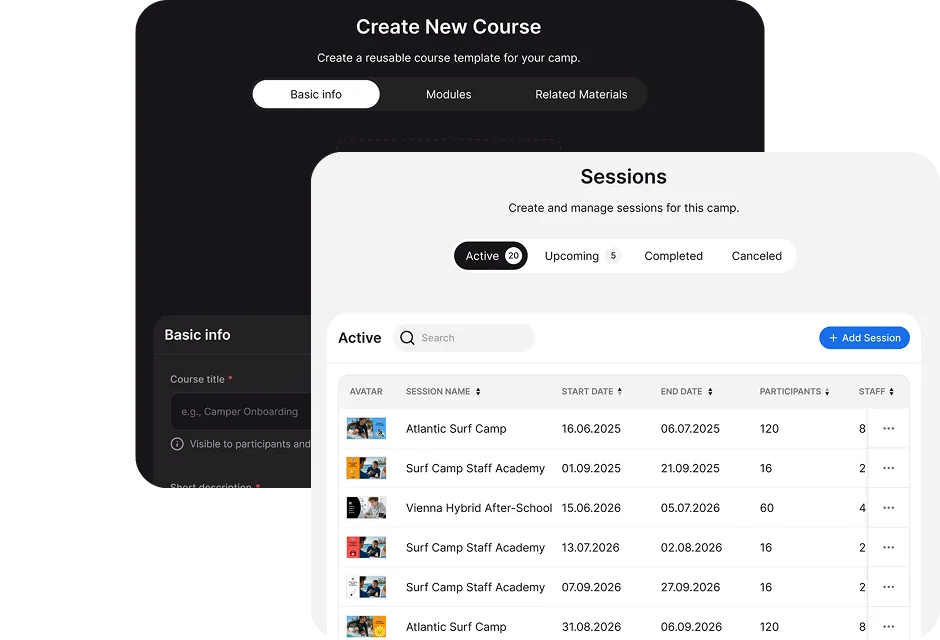
Family is one of CampOrganizer's four web modes, the one built for the people paying for and worrying about the experience. Where Camp Hub runs the organization and Session Console runs the live session, Family is where a parent registers, prepares, follows along, and stays close. The dashboard is a parent home cockpit: what still needs doing, what is coming up, and what to pay, in one glance. Around it, everything a family needs, registration, onboarding, forms and agreements, the schedule, learning progress, the gallery, the care team, payments, and add-ons, lives in one place, so a parent is never refreshing a silent group chat or waiting for the camp to phone. The experience begins before the session and continues while the child is away. The family sees one clear journey. The camp keeps one connected operating context, without re-entering anything.

Parents should not have to become project managers just to send a child to camp

Before Family

A typical family receives a registration link, a payment request, several PDF forms, a medical questionnaire, an agreement to sign, a packing list, an arrival email, a separate app invitation, a WhatsApp message, a gallery link, and another reminder because something is still incomplete. And the family still does not know what has already been submitted, what is missing, which child a request applies to, whether the payment went through, when the next step is due, or where updates will appear once the session begins. The camp office becomes the search engine for its own process.

With Family

Family replaces that fragmented experience with one account and a clear path through registration, preparation, and the live program.

Everything a parent needs, in one place

  • A parent home cockpit Open the dashboard and see readiness, what needs your attention, what is coming up, and what to pay, so you always know your next action at a glance.
  • Registration that becomes the real record Register a child through the flow the camp configures, and what you submit becomes the participant record the camp actually works from, no one re-types your child into another system.
  • Onboarding, before it starts Complete the forms, medical details, consents, agreements, and pre-arrival steps in a guided flow, and see exactly what is still outstanding, instead of decoding a folder of PDFs. Depending on the program this can include health and dietary forms, medications, travel details, permissions, document uploads, and payment steps.
  • Agreements and permissions, properly recorded Review and accept the agreements and permissions the program requires. When you act on behalf of your child, that acceptance stays connected to the right person, session, agreement version, and family relationship.
  • Document uploads, not email attachments Upload the files the camp requests inside the platform, so sensitive documents never travel through ordinary email.
  • The schedule and what is coming Follow your child's daily schedule and events, so you know what they are doing today and tomorrow, and when they have free time.
  • Progress and learning See your child's learning progress, activities, and achievements, where the program makes them available. Where the program uses Learning, you can also receive parent-facing courses and preparation modules, welcome information, travel instructions, orientation, instead of long email attachments.
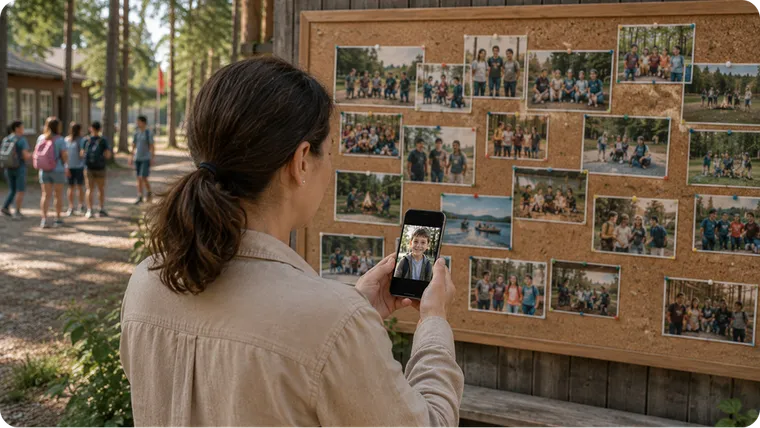
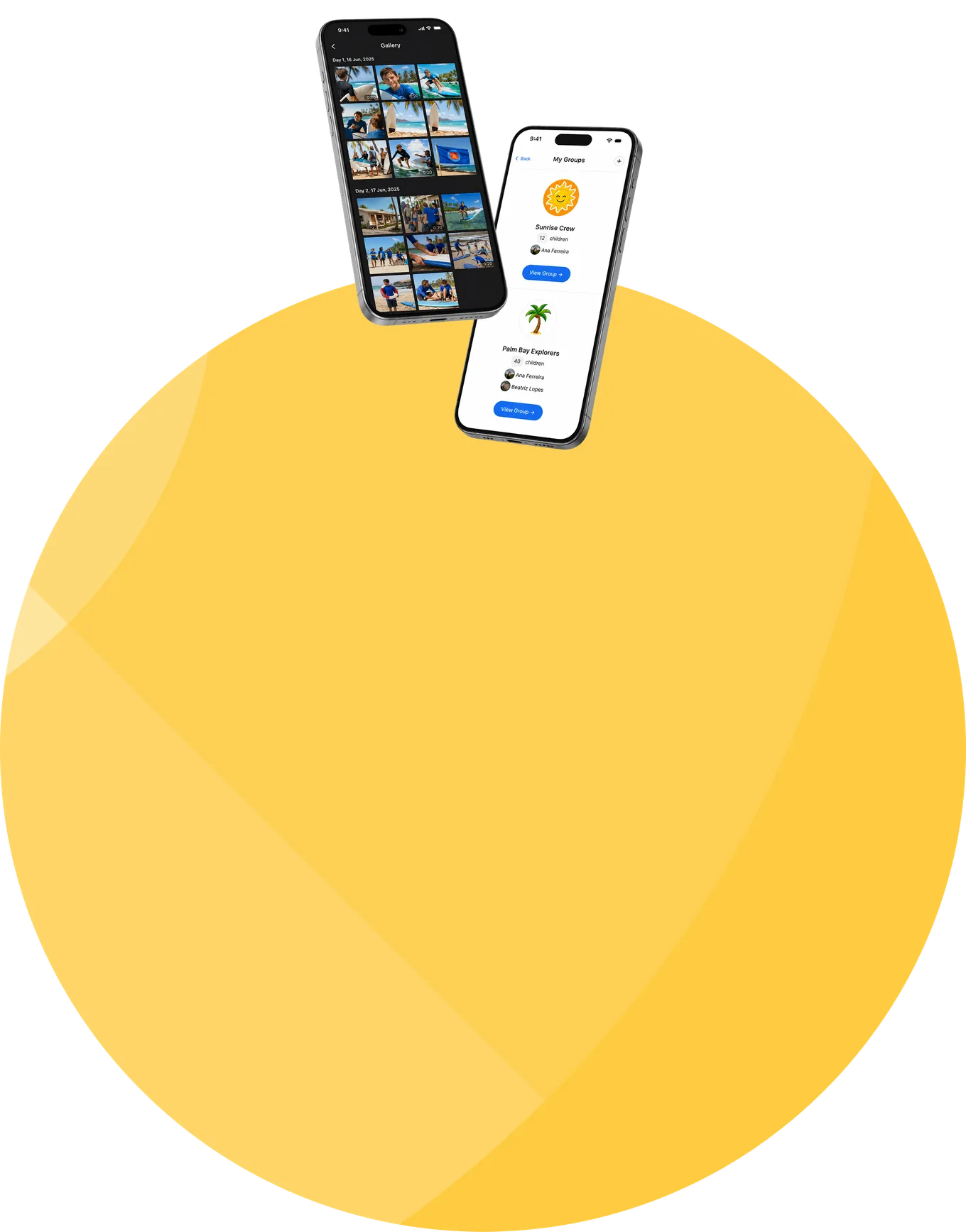
  • The Feed, the gallery, the updates Follow the camp's updates in a controlled family Feed and view the photos and video the camp shares, in a private gallery you view on your own time, not a group chat where every family sees every other, and never a public link.
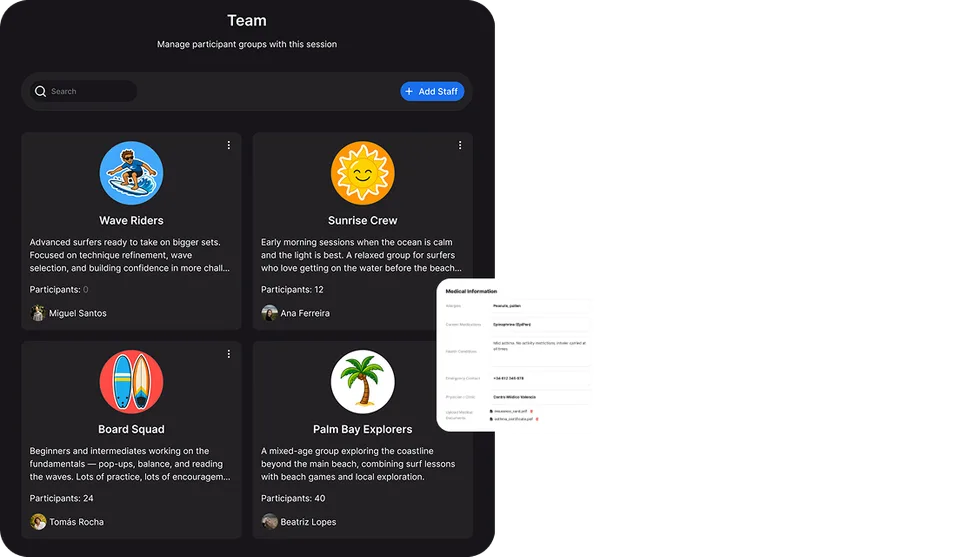
  • The care team and contacts See the staff working with your child and their role, and find the right published contact for operational, medical, financial, or program questions, so the people looking after your child are not strangers to you.
  • Payments and add-ons View prices, invoices, payments, and balances, and book optional add-ons and offers, all attached to the right participant and session, alongside the rest of the journey rather than in a separate portal.
  • Session info Find the reference information about the session, dates, arrival and departure, what to bring, deadlines, in one place instead of an email thread.
  • Every child, one account, every season Switch between children and see the correct information for each, and return next season through the same family account instead of starting over as a stranger.
A parent and child looking at a tablet together

One journey from invitation to next season

Before: arrive prepared

The weeks before arrival create most of the workload, for parents and for the camp office. Family gives the parent one place to answer: is my child fully registered, which forms remain, did the camp receive the medical information, is there a payment left, what should we pack, when and where do we arrive, who is allowed to collect my child. The parent sees the required actions in context; the operations team sees the resulting readiness in Camp Hub. Both sides work from the same journey.


During: informed without interrupting

Once the session begins, families want reassurance: that the child arrived, what the program is doing, whether the schedule changed, whether new photos are up. The answer should not depend on calling the office or messaging a counselor's personal phone. Family is the controlled place where the camp shares what it chooses to make available, the Feed, schedules, contacts, permitted chats, and galleries, so families feel close without turning frontline staff into full-time support.

After: the relationship continues

The account stays useful after check-out: final updates, permitted media, feedback and surveys, remaining financial information, and registration for the next session or another child, through the same family relationship, not a brand-new household every season.

Real families do not fit one simple account model

Family is designed around relationships, not the assumption of one parent, one email address, one child. The CampOrganizer model can support more than one child, more than one parent or guardian, separate contacts and payers, authorized family relationships, and participants who can act for themselves when appropriate. The organization determines which relationships and permissions apply, and being associated with the family does not automatically expose every child's sensitive information to every adult.

Families using CampOrganizer at home

Family on the web, Family Mobile in your pocket

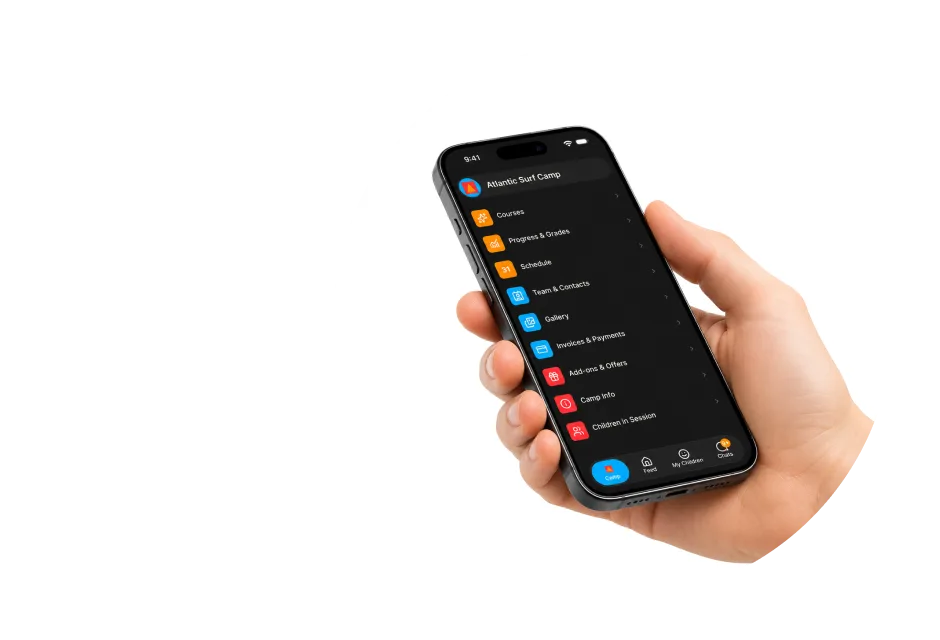
Family comes in two forms that share the same account and the same information. Family on the web is the detailed surface, the place to register, work through onboarding, review agreements, upload documents, handle payments, and prepare properly, on a desktop, tablet, or mobile browser, with nothing to install. Family Mobile is the quick daily check, the feed, the schedule, chats, notifications, and the photos, in your pocket.

Hands holding a laptop and a phone

Web for preparation

registration, forms, agreements, documents, payments, and everything you want a full screen for.

Mobile for the daily glance

the feed, today's schedule, chats, and the photos, wherever you are.

One account, one truth

the same parent, child, and session on both, what you do on one shows up on the other.

What the camp runs, shown to the family it belongs to

Family runs on what the camp configures, and shows each family only their own child.

From Camp Hub

the registration flows, forms, agreements, pricing, onboarding requirements, and family-facing content the camp sets up become the journey a family walks through here.

From Session Console

the live schedule, updates, and learning from the running session become what the family follows, without staff re-entering anything into a separate parent portal.

Scoped to their own child

a parent sees the session their child is in, their child's care team, and their own children within a team, never another family's, and never the internal operational workspace.

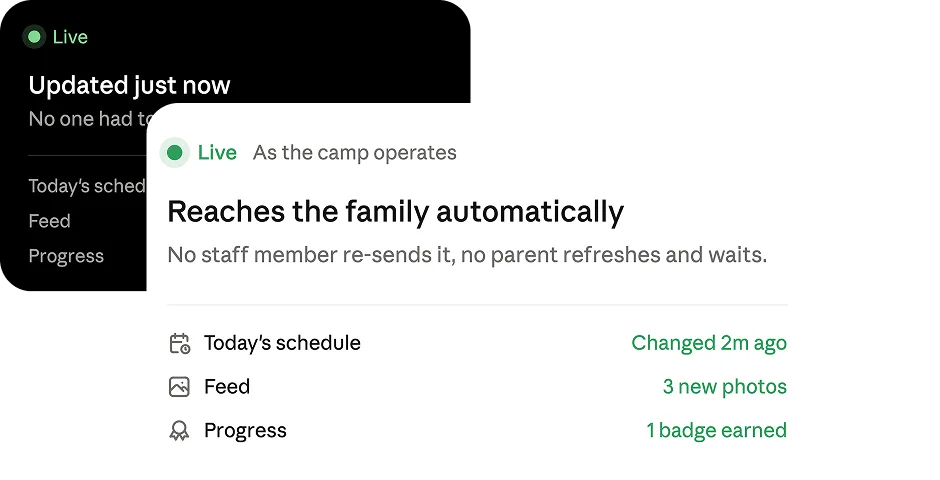
Live, not delayed

the schedule, Feed, and progress update as the camp operates, so a change reaches the family without anyone re-sending it.

Into the future

the family relationship carries into add-ons, later sessions, and next season, without starting from zero.

Your child's camp, kept private and safe

A family portal holds personal information about children, guardians, health, travel, payments, and communication. CampOrganizer treats that access as a governed relationship, not a shared link.

  • You see your own child, and only your own Family is scoped so a parent sees the session, care team, and information for their own child, based on a verified family relationship, and the children shown within a team are only their own, never another family's.
  • Sensitive details follow their own rules Health, dietary, and personal details you provide are protected and shown only to the staff whose role requires them, and access to a child does not automatically mean every associated adult sees every protected field, incident, or document.
  • Consent on behalf of a child is recorded properly When a parent or guardian accepts an agreement or gives consent for a minor, the platform can retain the evidence: who acted, for whom, under which family relationship, and which agreement version. Age-dependent steps can follow the program's configured consent policy.
  • Contact is deliberate and accountable You can reach the staff caring for your child, and where the program allows it, your child, through the platform. Contact with children on the platform is a controlled, recorded permission, not open to anyone, and staff membership alone does not grant permission to message every family.
  • No public gallery links Photos and media stay inside the authenticated family experience, shared to the permitted audience, never a public link anyone can forward.
  • Certified security management Data is encrypted in transit and at rest. CampOrganizer's information security management system is certified according to ISO/IEC 27001:2022 by an independent certification body, covering both standard and white-label deployments. See the Trust page for the certificate and certified scope.

Peace of mind, from wherever you are

See instead of imagine

The day, the photos, the schedule, and the progress, so the silence that breeds worry is replaced by something you can actually look at.

Prepared, not scrambling

A guided onboarding that shows exactly what is done and what is left, so the start of camp is calm.

Asked once, not five times

What you submit stays connected to your child's record, instead of being requested again by every department through a different channel.

Private, not a free-for-all

Your updates, conversations, and your child's photos are yours, not a group chat where every family sees every other.

One place, not five

Registration, onboarding, schedule, progress, photos, contacts, and payments in one experience, on the web and in your pocket, so families stop stitching email, chats, and rumor together.

A better parent experience without more office work

Fewer repeated questions

Families find the information already published for their child and session, so the office stops being the search engine for its own process.

Less manual chasing

Onboarding status and targeted reminders let the office focus on the families that are actually incomplete, not blast everyone.

Cleaner data, better handoff

Parents enter information into the same workflows the organization runs on, and what is collected before arrival continues into Camp Hub and Session Console for authorized staff.

Communication with boundaries

Official contacts and permission-controlled chats replace private staff numbers and informal groups.

Families that come back

The account continues across children, sessions, and seasons, so the trust built this year is the starting point for the next.

Frequently asked questions about Family

What is Family?
Family is CampOrganizer's web and mobile experience for parents and guardians: registration, onboarding, forms and agreements, the child's schedule, learning progress, the gallery, the care team, payments, and add-ons, in one place.
Do parents need to install an app?
No. Family works in a supported web browser. Family Mobile is available as the mobile-optimized companion for the daily check during the session.
What is the difference between Family web and Family Mobile?
They share one account and the same information. Family on the web is the detailed surface for registration, longer forms, agreements, documents, payments, and preparation; Family Mobile is the quick daily check, the feed, schedule, chats, and photos, in your pocket. Exact feature availability can vary by platform and configuration.
How do I complete forms and onboarding?
Family guides you through registration, forms, medical details, agreements, and pre-arrival steps, and shows you exactly what is still outstanding, so nothing is missed.
Can I manage more than one child?
Yes. One family account covers the children and sessions connected to you, and you can switch between children with each one kept in the correct program and session context.
Can more than one parent or guardian have access?
The CampOrganizer relationship model can support multiple parents, guardians, contacts, and payers. The organization controls which relationships and permissions apply.
Can I complete medical and medication forms, and upload documents?
Yes. Forms can cover health, dietary, medication, consent, and program-specific information, and the camp can request document uploads, all inside the platform instead of email. Access to sensitive information remains governed by role, relationship, and field-level policy.
Can I see my child's schedule, progress, and photos?
Yes. You follow the schedule and what is coming, see learning progress and achievements where the program makes them available, and view the shared photos and video in a private gallery, inside your authenticated account, never a public link.
Can I see who is looking after my child, and contact them?
Yes. Family shows the staff working with your child and their role, and you can use the contacts and channels the organization makes available. Contact with children on the platform is controlled and recorded, where the program allows it.
Do I see other families' information?
No. Family is scoped so you see only your own child's session, care team, and information, never another family's.
Can I handle payments and add-ons?
Yes. You view prices, invoices, payments, and balances, and book optional add-ons and offers, attached to the correct participant and session. The exact payment options depend on the organization's setup and payment provider.
Can I use the same account next year?
Yes. The family relationship continues across sessions and seasons, so returning families pick up where they left off rather than registering as strangers.

Give families one place for their child's camp

© 2026 CampOrganizer. All rights reserved.