Staff management on two levels: the organization and the session

Staff access should follow responsibility, not job title

Nobody is "just staff" everywhere. The same person coordinates one session, teaches a course in another, supports a single Team in a third, and has no reason to see any other program.

Camp Hub: the organization level

The ongoing relationship between the organization and the person. Authorized administrators add or invite staff, maintain the staff record, control whether access is active, grant broader camp-level roles, and assign people to the sessions they'll work.

Session Console: the operational level

What that same person is responsible for inside a specific session. The session team assigns operational roles like Session Coordinator, connects staff with their Teams and participants, and decides who may take part in child-facing communication.

Precise staff access without the all-or-nothing switch

  • One staff record, invited once Create the staff relationship at the organization level and invite the person to activate their account. Next season, the same identity returns with new assignments, no new account, no lost history.
  • Camp Admin and Manager, kept deliberate Reserve Camp Admin for the people who genuinely need broad configuration and data access, granted by the camp owner, not handed out through routine administration. Manager covers staff, session, and operational setup without making everyone an administrator.
  • Assigned to the sessions they actually work Connect each person only with their sessions. One staff member can work several, with a different responsibility in each.
  • Session Coordinator Make operational leadership explicit. The coordinator works across their session, supports parent invitations and onboarding, and keeps preparation moving, without becoming a camp-wide administrator.
  • Frontline scope through Teams Counselors, teachers, and instructors are scoped to the Teams and children they're responsible for, their part of the session, not the full participant directory. (The Team model itself has its own page.)
  • Child contact is a separate permission Being staff, joining a session, or being assigned to a Team does not put anyone into a child's chat. Child-facing communication requires an explicit permission on top of the assignment.
  • Parent communication stays on the platform Staff talk to families through the platform, where their role and session context allow it, conversations stay connected to the operational record, not to personal phone numbers.
  • Preparation attached to the person Onboarding, briefings, courses, certificates, and badges connect to the same staff record that later delivers the program, so who is prepared, and who isn't, is visible before day one.

The right access for every kind of staff

A camp administrator

Full oversight of the organization, granted deliberately by the owner.

A session coordinator

Runs one session and sees its participants and staff, and nothing from other sessions.

A counselor

Their own group, its schedule, and the child information their role actually requires.

A seasonal or volunteer helper

Time-boxed access to exactly the part of the program they help with, and no standing keys afterward.

From staff invitation to the live session

1

Add the person with the right camp-level role

Create or invite the staff member in Camp Hub. Most people stay regular staff; Camp Admin and Manager go only where organization-wide authority is genuinely needed.

2

Assign them to their sessions

Connect the person only with the sessions they'll actually work. Every session assignment sits on top of an active camp staff relationship.

3

Set their role in each session

Session Coordinator for the session lead; the appropriate frontline assignment for counselors, teachers, instructors, and specialists.

4

Connect Teams and participants

Where participant access is Team-scoped, assign the person to the Teams and children they're responsible for.

5

Grant child contact deliberately

Enable child-facing communication only for the staff who should have it. Assignment alone is not enough.

6

Staff get their working view

Session Console and Counselor Mobile show each person their participants, Teams, schedule, communication, tasks, and learning, shaped by their access.

7

Change or end access at the source

Move someone to another Team, remove a session assignment, change a role, or end camp membership, without rebuilding their identity or relying on informal offboarding.

The right level of control for each person

Owners, admins, and managers

The owner controls who becomes Camp Admin; admins run configuration and data where full authority is required; managers handle staff and session setup without holding every key.

Session Coordinators

Lead a specific session, its participants, staff, invitations, onboarding, and approvals, without organization-wide access coming along for the ride.

Counselors, teachers, and instructors

Work with their assigned Teams, children, courses, and chats in Session Console or Counselor Mobile, not with the complete roster.

Health, safety, and specialist staff

Get the participant and operational context their responsibility requires, while unrelated and sensitive information stays protected.

Returning seasonal staff

Keep one identity across seasons and pick up a fresh set of sessions, Teams, and permissions as the work changes.

Staff assignments become the staff member's working day

Into sessions

Camp Hub staff become assigned members of the session team.

Into Teams

counselors and instructors work with the groups they're responsible for.

Into onboarding

Session Coordinators support parent invitations and session approvals.

Into schedule and events

each person sees the activities and responsibilities connected to their work.

Into Counselor Mobile

sessions, Teams, participants, schedule, attendance, tasks, chats, and learning, on the move, shaped by access.

Into preparation

briefings, courses, certificates, and badges stay attached to the person.

Into the live day

authorized staff record attendance and incidents from the same working context.

Who may see and contact children is a structural decision

  • Two levels before session access Camp membership establishes the relationship; session assignment establishes the operational context. Nobody has session access merely because they once worked for the organization.
  • Access scoped to responsibility Counselors and instructors are limited to their assigned Teams and children. Session Coordinators work across their session. Camp-wide authority exists only in explicitly elevated roles, and Camp Admin is granted by the owner, keeping the strongest access deliberate and accountable.
  • Child contact requires its own gate Session or Team assignment does not authorize communication with children, that's a separate, explicit permission. Parent conversations stay inside the platform, so who may contact whom, and in what context, has a clear answer.
  • Access ends with responsibility Remove a session or Team assignment and the access it granted ends with it. End camp membership and operational access ends across the organization. The identity survives for next season; the access doesn't.
  • Sensitive data stays need-to-know Access to a participant doesn't reveal every form, health record, incident, or protected field. Sensitive information keeps its own role- and field-level controls on top of staff scoping.
  • Certified security management Data is encrypted in transit and at rest using industry-standard controls. CampOrganizer's information security management system is certified according to ISO/IEC 27001:2022 by an independent certification body. The certificate and certified scope are published on the Trust page.

Enough access to do the job, and no more

No more all-or-nothing staff accounts

Camp-level roles, session assignments, Team scope, and explicit permissions replace the choice between "full administrator" and "can barely work".
One person, different hats

The same staff member coordinates one session, teaches in another, and supports a Team in a third, with the right access in each, not identical access everywhere.

Coordinators own the session

Operational leadership is delegated to the person actually running the session, without handing them the keys to the whole organization.
Safeguarding is structural, not procedural

Frontline staff are scoped to their own children, messaging a child requires its own permission, and family conversations stay on the platform. When a parent or a regulator asks who can see and contact children, the answer is in the structure, not in a policy binder.

Clean joins, clean exits

A new season reuses the same identity with new assignments; a removed assignment takes its access with it. No dormant accounts, no informal offboarding.

Frontline staff get a working day, not a permissions puzzle

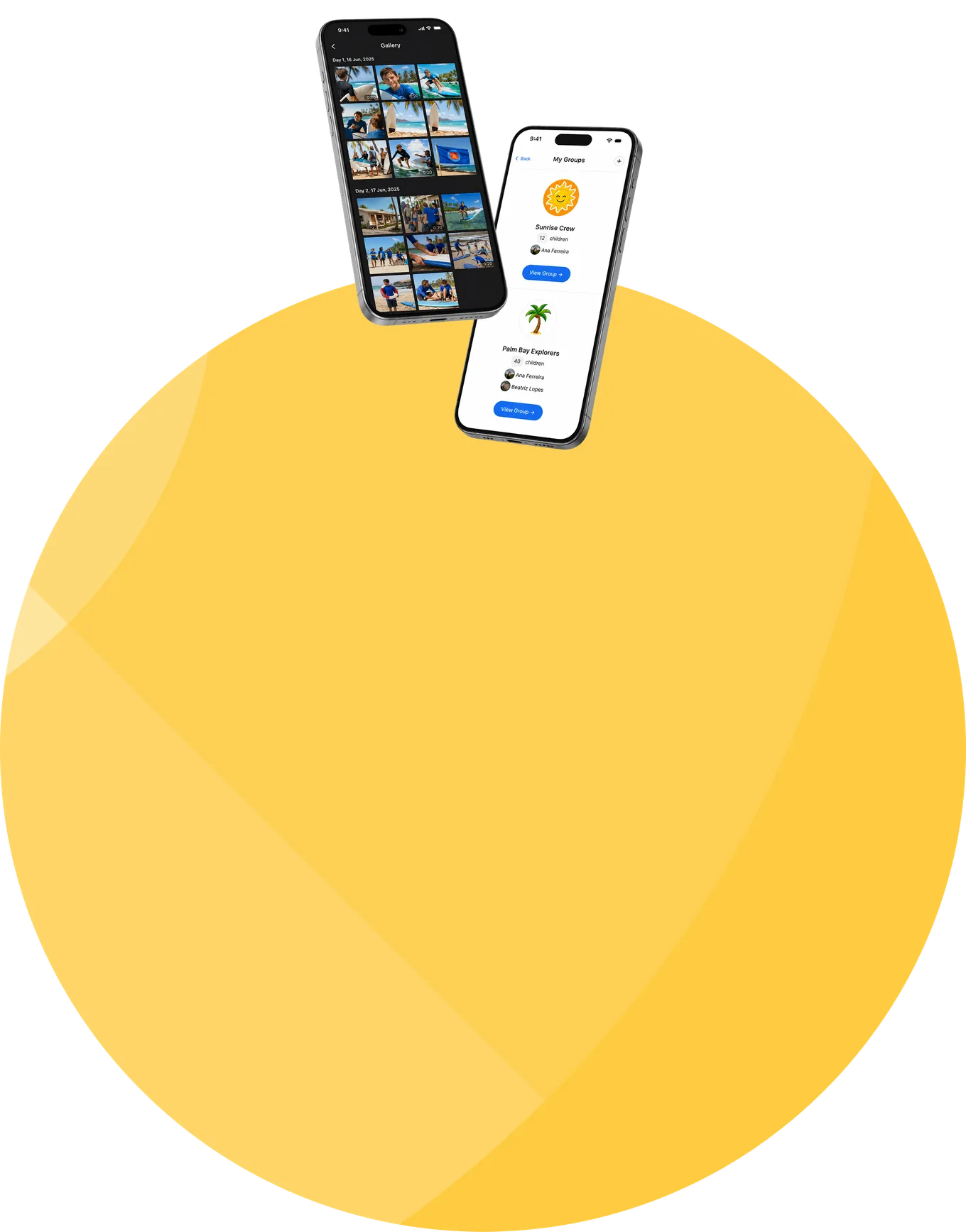
Counselor Mobile turns the configured access into a focused daily view: the right session, the right children, the right schedule, the right actions.
Frequently asked questions about camp staff management

How does staff management work in CampOrganizer?
On two connected levels. Camp Hub manages the organization-level relationship: the staff record, status, broader roles, and session assignments. Session Console manages what the person does inside a specific session: their role, Team responsibilities, participant scope, and operational access.
What's the difference between Camp Admin, Manager, Session Coordinator, and counselor?
Camp Admin is the broad organization-level role for configuration and data access, granted by the camp owner, which keeps the strongest access deliberate. Manager handles staff, session, and operational setup across the camp. Session Coordinator leads one specific session. Counselors and other frontline staff work within the sessions and Teams assigned to them.
Can the same person work in several sessions?
Yes, with a different role and access in each. One identity can coordinate one session, teach in another, and support a single Team in a third.
What is a Session Coordinator?
The operational lead of a specific session. The coordinator works across that session, supports parent invitations and onboarding where enabled, and keeps preparation and approvals moving, without becoming a camp-wide administrator.
Can every staff member see and message every child?
No, and no. Visibility follows the person's role, session assignment, and Team responsibility, frontline staff are limited to their assigned children. And messaging a child requires an explicit child-contact permission on top of any assignment.
Can staff communicate with parents?
Yes, inside the platform, where their role and session context allow it. Family conversations stay connected to the program instead of moving to personal phones and private accounts.
What happens when a staff member leaves a session, or the organization?
Remove the session assignment and the access it granted ends; the identity stays available for other or future sessions. End camp membership and operational access ends across the organization.
Do frontline staff get a mobile app?
Yes. Counselor Mobile gives them the sessions, Teams, participants, schedule, attendance, tasks, chats, learning, and incident tools relevant to their assignments, including the onboarding, briefings, courses, certificates, and badges connected to their work.
Is CampOrganizer a payroll or full HR system?
No. CampOrganizer covers the operational side of staff in camps and youth programs: identity, access, session assignments, Team responsibility, communication permissions, preparation, and live execution. It does not replace payroll, recruitment, employment contracts, or an HR information system.
How does CampOrganizer protect children's information from unnecessary staff access?
Camp- and session-level access are separated, participant visibility follows Team responsibility, child-facing communication requires an explicit permission, and sensitive fields keep their own need-to-know controls. CampOrganizer's information security management system is certified according to ISO/IEC 27001:2022.

Give every staff member the right access before the session starts

In a 30-minute demo, we'll show staff management on both levels, records, invitations, roles, and session assignments in Camp Hub; coordinators, Team responsibility, child-contact permissions, and frontline tools in Session Console and Counselor Mobile.

© 2026 CampOrganizer. All rights reserved.