1
Sports camps and academies
Register by sport and level, group by ability, assign coaches, run courts and matches, and track skills, drills, and achievements across sessions.
A specialty camp isn't supervised time. It's a sport, a subject, or a craft, taught by people who know it. The goalkeeper shouldn't land in the beginners' group because the form only asked for age - and at pickup, "so, did she get better?" deserves a better answer than "she had fun." CampOrganizer runs the operation and the learning in one place: registration that asks about the discipline, groups built by level, the right coach on each one, the week on one schedule - and the progress, badges, and certificates where the participant and the parent can see them.
Register by discipline. Group by level. Coach the right group. Show the progress - on one platform.
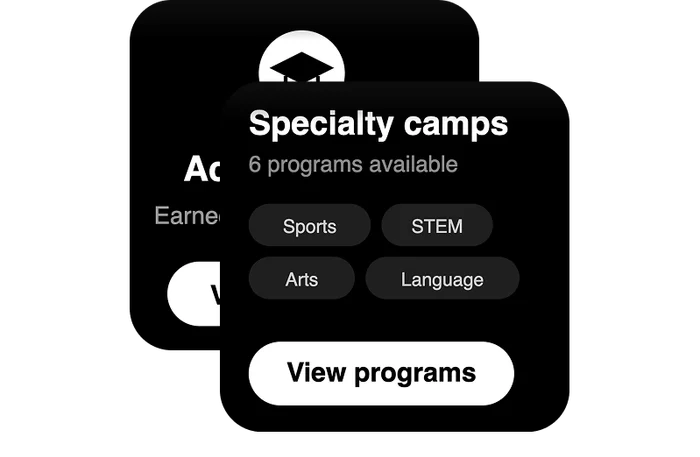
Sports and specialty camp software runs a skill-based program end to end: registration by discipline and level, coach and instructor assignment, discipline-specific schedules, waivers, payments, parent communication - and the learning that shows a participant actually improved. In CampOrganizer, a specialty camp is a program of sessions organized by discipline and ability. Registration and the courses are built in Camp Hub; groups and the week run in Session Console; each coach carries their group in Counselor Mobile; the participant sees their level, assignments, and badges in Explorer; and the parent sees the progress in Family. A participant and their family are one lasting record - level, waiver, progress, achievements captured once and carried from one session to the next, so a returning athlete or student picks up where they left off instead of starting over. A specialty camp sells a result: a better serve, a working robot, a finished piece. The software has to prove it - not just run the sign-up.
Most camp software treats every program as supervised time, so a skill-based camp fights it the whole way. Levels live in the head coach's notebook. Registration can't ask the questions a tennis camp or a coding camp actually needs - racket size, laptop or not, years of experience - so day one starts with a sorting exercise. Progress is a certificate printed on the last afternoon, if the printer works. And the learning - the whole reason a family paid - lives nowhere the parent can see it. Multiply that across four disciplines, three levels each, a dozen coaches, back-to-back sessions, and the showcase or tournament on Friday, and the program spends its energy on logistics instead of the skill it exists to teach. CampOrganizer replaces that with one system that runs the operation and carries the learning.

Build registration that asks what a specialty program needs - discipline, experience, level, equipment, the waivers a physical or technical camp requires - so a participant lands in the right group from day one, not after a morning of sorting.

Organize participants into skill groups, Teams, or classes in Session Console, assign the coach responsible for each - and when the first drill shows a child belongs one level up, move them once. Their schedule, their coach, and their coursework follow.

Build each session's week from reusable event types - courts, labs, studios, rehearsals, matches, showcases - and give every role its own view: the coach sees their group's day in Counselor Mobile, the participant sees theirs in Explorer.

Courses, assignments, levels, badges, and certificates live on the participant record. Progress is tracked through the session and visible afterward - not printed once and forgotten.

Parents see the schedule, the photos, and their child's achievements and progress in Family. The result of the camp is visible - not described in thirty seconds at pickup.
Register by sport and level, group by ability, assign coaches, run courts and matches, and track skills, drills, and achievements across sessions.
Projects, levels, and assignments with progress and badges - a build or a challenge produces a visible, kept result, not a folder on a borrowed laptop.
Classes, studios, rehearsals, and a final showcase, with the pieces, parts, and progress tracked on the participant record.
Levels, coursework, and assessment, with placement at registration and progress families can follow.
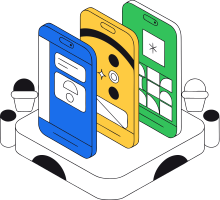
The same platform that runs registration and the day also carries the courses, levels, badges, and certificates. The skill the camp teaches is tracked where everything else already lives - not in a separate LMS nobody logs into.
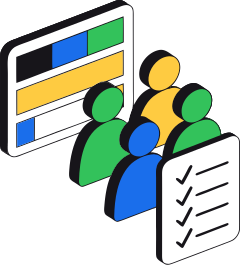
Participants are placed by level and paired with the coach or instructor for their group, so the program runs on skill, not on a generic roster.

Achievements, levels, and progress appear in Explorer and Family. The result of a specialty camp is visible - which is exactly what a skill-based program is selling.
Level, waiver, history, and achievements carry from session to session. Returning participants continue instead of restarting.

Enrollment by discipline and level, coach assignments, progress, and fill across every session - the whole program from one place.

Build sessions by discipline, place participants by level, assign coaches, and track waivers and payments - in one place.
Arrive knowing their group, level, and schedule in Counselor Mobile, run the session, record attendance and completions, and see the participant information their role allows.
Follow their own schedule, group, courses, assignments, and achievements in Explorer - and see themselves getting better, badge by badge.

See the schedule, the photos, and their child's progress and achievements in Family - and reach the right coach only when they truly need to.

In a 30-minute demo, we'll show how CampOrganizer registers participants by discipline and level, puts the right coach with each group, runs discipline-specific schedules, and tracks the progress and achievements a skill-based camp is built to deliver.
Bring one upcoming session to the demo - and the skill it teaches. We'll walk through how the camp and the learning would run together.
© 2026 CampOrganizer. All rights reserved.