Run your entire summer on one platform

The whole season, not just the sign-up form

Summer camp management software helps camp operators prepare, sell, organize, deliver, and improve their seasonal programs, registration, forms and payments, staff, groups, schedules, attendance, family communication, and reporting in one system. In CampOrganizer, owners and administrators prepare the season in Camp Hub, session leaders run the live program in Session Console, counselors carry their day in Counselor Mobile, and parents onboard and follow the summer in Family. Registration data becomes the roster; parent forms become operational information; staff assignments become daily schedules; attendance becomes live visibility; feedback becomes next season's starting point. Nothing is rebuilt between systems. A great summer is not improvised in July. It's prepared all year, on one platform.

Summer lasts a few weeks. Preparing for it takes most of the year.

Before CampOrganizer

The season doesn't start in June. It starts in winter, staff to recruit and train, sessions to plan, forms to build, marketing to fill the sessions. Most camps run that year across a dozen disconnected tools: a signup form here, a payment provider there, spreadsheets for cabins, a folder of medical PDFs, a parent WhatsApp group, a whiteboard for the daily schedule. The problems are predictable: registrations copied by hand into rosters, medical information arriving in five formats, staff unsure which schedule version is current, group and transport lists drifting apart, attendance on paper reviewed too late, photos lost in chat histories, and leadership seeing problems only when they've become emergencies. By July, none of the tools agree, and the director is the glue holding it together.

With CampOrganizer

CampOrganizer replaces that collection with one seasonal operating system.

Prepared in winter, calm in summer, wiser in autumn

Winter: build the season

Plan camps, programs, sessions, capacity, and pricing. Build the registration forms parents will fill and the training courses staff will complete. Publish invite links for your website, campaigns, partner schools, and returning families, each landing new people in the right session. (Registration · Forms · Staff management · Learning)

Spring: fill and prepare

As applications arrive, live enrollment analytics show which sessions are filling and which need a push, while there's still time to act. Turn accepted registrations into cabins, groups, and teams, lay activities onto the session calendar, and nudge exactly the families whose onboarding is still open. (Analytics · Teams · Schedule)

Summer: run it calmly

Session Console is the operational center; Counselor Mobile puts each person's day in their pocket; one shared schedule absorbs the daily changes; check-in and Bracelets account for every child. The preparation pays off, the session runs on a clear plan instead of daily panic. (Schedule · Safety and check-in)

All season: keep families close

Updates and photos flow to each family about their own child, add-ons and merchandise can be offered right in the family context, and the office answers far fewer "did you get my form?" calls. (Parent communication · Gallery)

Autumn: review and improve

Collect feedback from families, participants, and staff while it's fresh; compare the season against the plan and against last year; carry the lessons, and the data, into a stronger next summer. (Analytics · Report Builder)

Answered on one platform

How do I fill my sessions, and find out early if one won't?
Invite links feed registrations straight into the right session, and live enrollment-and-capacity analytics show fill, pacing, and the sessions at risk of missing their minimum. You act on a soft session in April, you don't discover it in June.
How do I collect registrations, medical forms, and waivers without chasing email?
One form builder collects applications, health information, consents, versioned waivers, and document uploads in a single flow, your own fields, not a generic template.
How do I get parents to actually finish onboarding before day one?
Each family sees exactly what's still missing, and you remind only the families with an open requirement, no more camp-wide emails that start with "please ignore this if you already completed the form."
How do I train seasonal staff before camp, and prove they're ready?
Courses, briefings, quizzes, and certificates run on the built-in learning, attached to the same staff record that carries the person's role and session. Who's prepared and who isn't is visible before day one, with signed completion evidence when someone asks for proof.
How do I build cabins and groups without five diverging spreadsheets?
Create the group once as a Team, cabin, age group, activity team, transport group, and the same membership drives schedules, courses, chats, and staff visibility everywhere.
How do I keep one schedule current when the plan changes daily?
Build the day from reusable event types; when rain moves an activity, you edit one event and staff, participants, and families each see their updated view. One edit, not ten phone calls.
How do I know where every child is, at activities, on the bus, at pickup?
Check-in with NFC/QR Bracelets records who arrived, who's at which activity, who boarded which transport, and who was released to an authorized adult. Every child accounted for, all day.
How do I keep parents informed without a giant group chat?
A private feed of the day, photos, schedule, and reminders reach each family about their own child, and permission-based chat exists for when a real conversation is needed. Counselors spend the saved time with the kids.
How do I share photos without a parent free-for-all?
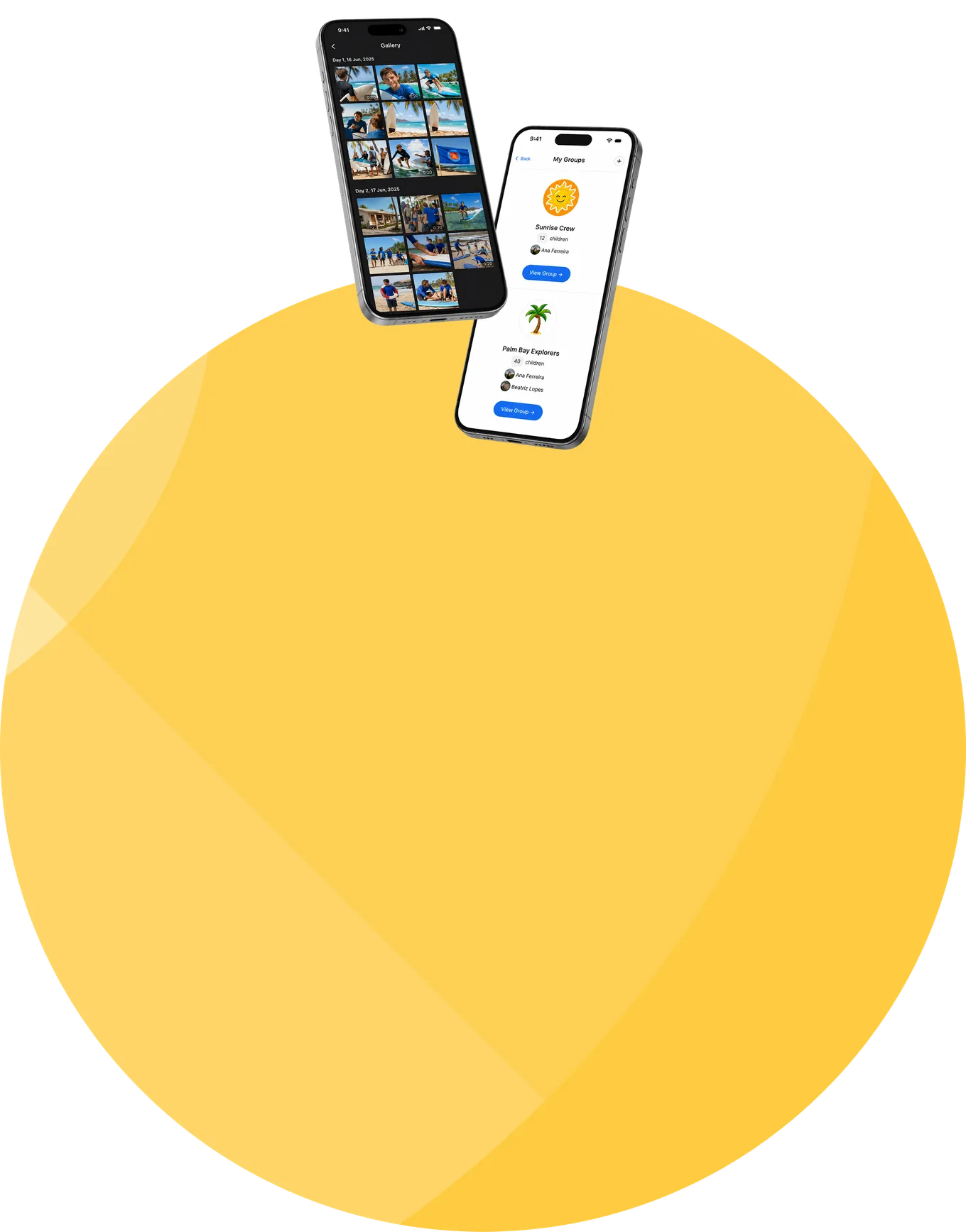
Staff publish to a private, day-organized session gallery, screened automatically, moderated by humans, and families browse and download on their own time. No public albums of children, no chat-group archaeology.
How do I send lists to the hotel, caterer, and bus company, without oversharing children's data?
Purpose-specific exports give each provider only the fields its service needs: dietary flags for the kitchen, rooming for the hotel, routes and pickup points for transport. Never a dump of every child's record.
How do I make next summer better than this one?
Feedback, enrollment pacing, readiness, attendance, and outcomes stay comparable season over season, so the review runs on evidence, the lessons get documented, and the knowledge survives staff turnover.

One seasonal platform, adapted to how your camp operates

Day camps

Daily arrivals and departures, changing attendance, activity groups, authorized pickup, transport, extended care, and parent communication.

Overnight camps

Cabins and residential logistics, travel and arrival, meals and diets, health information, staff responsibilities, and session-long family updates.

Specialty camps

Sports, STEM, arts, music, language, faith-based, and leadership programs, with their own learning, equipment, activities, and progress.

Multi-session and multi-site camps

One connected structure for several sessions, age groups, locations, programs, and registration periods.

International camps

Multilingual families, international travel details, arrival logistics, and additional permissions.

A camp platform does not need to put every child on a phone

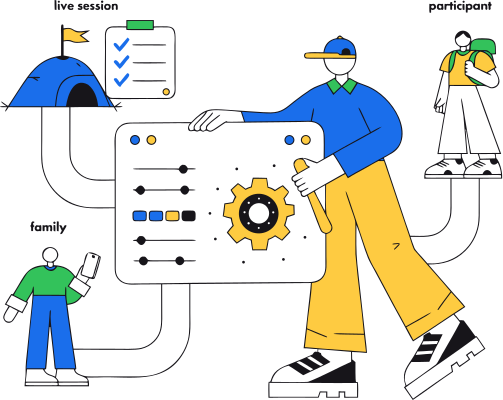
CampOrganizer runs the camp for your staff and keeps families informed, and the children stay outside, off their screens, where a summer camp belongs. Where participant access genuinely adds value, language camps, STEM programs, academies, pre-college, Explorer gives participants their schedule, group, learning, gallery, and achievements. But it's optional. The camp decides how much technology belongs in a child's summer, not the software.

Children's data protected, and yours to keep

  • Sensitive data, handled like children's data Health, allergy, medication, and emergency information is collected as classified fields, encrypted, shown only to authorized staff, and surfaced where it matters, at the cafeteria, at check-in, with special-category values revealed only through an explicit, logged action. CampOrganizer's information security management system is certified according to ISO/IEC 27001:2022 by an independent certification body.
  • Only the data a vendor needs Purpose-specific exports keep data minimization real: each external provider receives the minimum fields its service requires.
  • Your data is yours Owners and administrators export the camp's data themselves at any time, with a second-person approval on anything sensitive, never locked in, never leaked.

Fewer emergencies. Better visibility. A calmer summer.

Owners and directors

Enrollment, revenue, readiness, and staffing across every session, decisions from live numbers, knowledge that survives from season to season.

Operations and registrars

One participant record from application to departure: no copying between forms, rosters, and mailing lists, and far fewer "what's my status?" calls.

Counselors and staff

Arrive trained and certified, run the day from their phone, check children in where the work happens, and spend the saved time with campers.
Families

Onboard in one place, follow their child's summer in the feed and gallery, and reach the right person only when they truly need to.

Campers

Arrive at a program that's prepared for them, get more attention from staff who aren't buried in paperwork, and spend summer at camp, not inside camp software.

Before and after, side by side

Registrations copied by hand into rosters

Forms arrive by email, in five formats

Every parent reminded about everything

Staff training tracked in a spreadsheet

Several schedule versions circulate

Attendance on paper, reviewed too late

Parents build their own messenger group

Photos vanish into chat histories

Vendors receive oversized spreadsheets

Problems surface after the season

Registration is the operational participant record

Everything collected against the same family and session

Targeted reminders reach only the families with an open item

Courses and certificates live on the staff record, with signed evidence

One shared calendar stays current for every role

Check-in tied to the activity, group, and transport, live

Private, per-family updates through the platform

A day-organized session gallery, screened and moderated

Purpose-specific exports with only the required fields

Live visibility lets the team respond during it

Frequently asked questions about summer camp software

What software does a summer camp need?
Registration, forms and waivers, payments, participant records, staff management and training, groups or cabins, schedules, attendance and check-in, parent communication, photo sharing, health and safety workflows, reporting, and data export. CampOrganizer connects all of these in one platform.
Does it handle both day camps and overnight camps?
Yes. Day camps use arrival, attendance, pickup, transport, and parent-communication workflows; overnight camps add cabins, residential logistics, travel, meals, and session-long family updates.
Does it handle registration and payments?
Yes. Families register through your own custom forms and complete onboarding and consents, with fees, invoices, payments, and optional offers attached to the right participant and session.
Can parents complete medical and travel forms online?
Yes, health, medication, allergies, travel, arrival, pickup permissions, activity preferences, and any camp-specific requirement, through forms built from your own fields.
Can we remind only the parents with incomplete forms?
Yes. Filter families by what's still missing, down to the specific form, and send one targeted reminder, instead of another all-camp email.
Can I train and manage seasonal staff?
Yes. Hire and manage staff at the camp level, train and certify them through the built-in learning, assign them to sessions and Teams, and cover a sick counselor without rebuilding anyone's access.
Do campers have to use an app?
No. The platform runs the camp for your staff and keeps families informed. Explorer is available where participant access fits the program, the camp decides.
Can I track attendance at activities and on transport?
Yes. Check-in, including NFC/QR Bracelets, records session arrival, activity and meal attendance, transport boarding, and authorized pickup.
Can parents see photos without joining a messenger group?
Yes. Staff publish to a private session gallery, organized by day, screened automatically and moderated by humans; families view and download on their own time.
Can camps sell optional activities and merchandise?
Yes. Optional trips, premium activities, transport, extended care, and merchandise can be offered in the family and session context, attached to the right participant.
Can we export lists for our hotel, caterer, or transport company?
Yes. Purpose-specific exports contain only the operational fields the provider needs, dietary requirements for catering, rooming for the hotel, routes for transport, never unrelated participant data.
Can we migrate from spreadsheets or another camp system?
Yes. CampOrganizer supports structured imports and exports, and onboarding covers the structure, sessions, people, forms, and workflows that need to move.

Make the next summer calmer before it begins

Prepare staff, fill sessions, collect the paperwork, build the program, run each day, keep families close, and learn from the results, on one connected platform.

© 2026 CampOrganizer. All rights reserved.