Day camp software

Run every camp day, from morning drop-off to afternoon pickup

A day camp lives at its edges. At 8:45 a crowd of children arrives; at 3:30 a crowd of adults comes to collect them. In between there's a full day of activities to run - and a headcount that has to be right at the pool, on the bus, and at the fire drill. CampOrganizer runs that whole daily cycle in one place. Check-in at the gate, the day on the counselor's phone, the recap in the parent's pocket before they reach the car park, and who may collect each child - all from the same record, from the first Monday to the last Friday.

Every drop-off, every day, every pickup - on one platform. The right child goes home with the right adult.

Built for the daily cycle, not just the sign-up

Day camp software runs a non-residential camp end to end: registration and forms, daily check-in and authorized pickup, groups and activities, before and after care, payments, parent communication, and the camper record that carries across the whole program. In CampOrganizer, a day camp is a program of weekly sessions built once in Camp Hub. The day itself runs in Session Console and on the counselors' phones in Counselor Mobile; families book, pay, and follow the day in Family; and Bracelets make the gate a tap instead of a line. A child and their whole family are one lasting record: the allergy note, the emergency contacts, and the list of who may collect the child are captured once and surfaced every afternoon at pickup - so the safest moment of the day doesn't depend on a printout and a good memory. A day camp is the same safety question, asked twice a day, every day: is the right child with the right adult?

Two crowds a day, run on a clipboard

Most camp software stops at registration. So the part that actually matters at a day camp - the morning and afternoon crowd - falls back on paper. Attendance is a clipboard at the gate. The pickup list is a binder someone flips through while a line forms. Before and after care is a separate sign-in sheet that someone has to turn into an invoice on Friday. A parent arrives early, or sends an aunt nobody has heard of, and a nineteen-year-old staff member has to decide on the spot. Multiply that by six groups, ten weeks of summer, children who come some weeks and not others, and add-on care that has to be billed - and the office spends the day doing admin at the gate instead of running the camp. CampOrganizer replaces that with one system that runs the daily cycle and remembers every family.

Set up the week once, run it every day

Check children in and out, fast

Check children in and out, fast

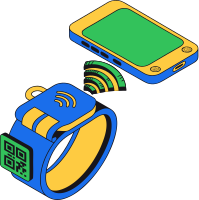
Arrival and departure are recorded at the gate in seconds - with Bracelets, a tap; with any phone, a QR scan. The day's headcount is live in Session Console from the first child, not transcribed from a clipboard at ten.

Pick up only by an authorized adult

Pick up only by an authorized adult

Who may collect a child lives on the camper record, and check-out confirms it. Pickup is a verified handover even when the person at the gate isn't the parent - and when today's plan changes, the family updates it in Family before the afternoon.

Run groups and the daily schedule

Run groups and the daily schedule

Build groups and the day's activities once, assign staff, and give each role its own view. Counselors run the day from Counselor Mobile - the group, the schedule, the headcount at the activity - not from a printed sheet.

Handle before and after care as part of the day

Handle before and after care as part of the day

Extended-care sign-in and sign-out are recorded against the child and attached to the right add-on, so the charge lands on the family's record - instead of being reconstructed from a paper sheet at the end of the week.

Keep families in the loop, daily

Keep families in the loop, daily

The feed, the schedule, and the photos give parents the day's recap on their own device. The afternoon pickup is a handover, not a debrief - and the office answers far fewer "how was today?" messages.

Answered on one platform

How do I run drop-off and pickup without a line and a binder?
Check-in and check-out are recorded at the gate in seconds - a Bracelet tap or a QR scan - and the live roster in Session Console shows who's here and who's gone home. The crowd moves instead of waiting on a clipboard.
How do I make sure a child only leaves with an authorized adult?
Authorized guardians are on the camper record, and check-out confirms who may collect each child. An unfamiliar face at the gate is a check, not a judgment call.
What happens when grandma is collecting today, or a child leaves early for the dentist?
The family updates who's collecting and when in Family; the change reaches the gate and the counselor's phone before pickup. No sticky note on the office door, no "did anyone tell the group leader?"
How do I bill before and after care without a separate spreadsheet?
Extended-care sign-in and sign-out are recorded against the child and attached to the right add-on, so the charge lands on the family record - not on a sheet someone types up on Friday.
How do I keep an accurate headcount through the day?
Live check-in and attendance in Counselor Mobile show the real number per group and activity. A field trip bus or a fire drill starts from an accurate list, not from a recount in the car park.
How do I keep allergies and medications visible at lunch and at the pool?
Allergies, medications, and conditions are structured, classified fields on the child's record - shown only to authorized staff, surfaced at meals and activities, not scattered across forms and inboxes.
How do I handle children who come some weeks and not others?
A child and their family are a lasting record, and weeks are discrete sessions. Booking weeks three and six - and skipping four - updates the roster and the balance in one place, not a new form every time.
How do I keep the right staff-to-child ratio as daily numbers change?
Live attendance and enrollment show the real headcount per group, and staff are assigned per session and group. You see and hold the ratio before the gate opens, instead of guessing it at 8:50.
How do I give parents the day without answering the same question all afternoon?
The feed, the schedule, and the photos - shared by counselors from their phones through the day - reach families automatically. A parent has seen the water-balloon fight before they reach the gate, and pickup is quicker and calmer for everyone.
How do I set up ten weeks of summer without building each one?
Copy a proven week - groups, schedule, add-ons, staff - with new dates. Week two starts from week one, not from a blank grid, and your regular families are already on it.

Summer, holiday, and year-round day programs

1

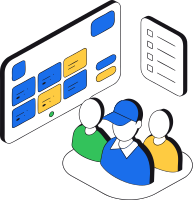
Summer day camps

Weekly sessions across a summer, with groups, activities, daily check-in and pickup, and families who book some weeks and not others.
Summer day camps
2

Before, after, and holiday care

Extended care and holiday-week programs with their own sign-in, sign-out, and charges - copied from your proven setup rather than rebuilt each time.

Before, after, and holiday care
3

Specialty day programs

Sports, STEM, arts, or language day camps with their own activities and, where useful, participant learning - on the same structure.
Specialty day programs
4

Multi-site day camps

Several locations, groups, and price points run from one structure, with staff and capacity managed together.

Multi-site day camps

Built for the edges of the day, not just the sign-up

1

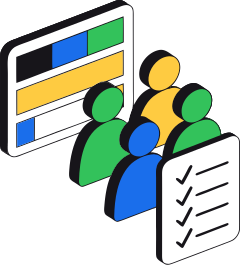
Safe at the gate, twice a day

Check-in and authorized pickup make the two highest-risk moments of a day camp verified handovers - not a line and a clipboard.
Safe at the gate, twice a day
2

One record across the whole summer

A child's forms, contacts, pickup list, and history are one record that carries from the first week to the last. Nobody re-registers a regular family mid-summer.

One record across the whole summer
3

Care and billing in one place

Before and after care is recorded as it happens and attached to the right charge. The add-on stops being a Friday-afternoon reconciliation job.
Care and billing in one place
4

Parents in the loop every day

Families see the day as it happens, so the afternoon is a pickup, not a debrief - and the office is not the day's information desk.

Parents in the loop every day

Children's data and safeguarding, built in

  • Sensitive data protected and in one place Allergies, medications, conditions, emergency contacts, and who may collect a child are classified fields - encrypted, shown only to authorized staff, and surfaced where they're needed. CampOrganizer's information security management system is certified according to ISO/IEC 27001:2022 by an accredited independent body.
  • Safeguarding by design Contact with children is a deliberate permission, staff see only the children they're responsible for, and consents and actions are recorded - evidence produced by simply running the camp. CampOrganizer logs incidents and surfaces the right information to the right staff; it doesn't replace your supervision or your emergency procedures.
  • Your data is yours Owners and administrators export the camp's data themselves at any time, with a second-person approval on anything sensitive - never locked in, and an export is never a leak.

One day camp, the right tools for each person

1

Owners and directors

Enrollment, attendance, revenue, extended-care uptake, and fill across every week and site - the whole camp from one place.

Owners and directors
2

Operations and registrars

Manage weekly sessions and cross-summer families, track payments and extended care, and chase only the families who still owe something.

Operations and registrars
3

Camp staff

Arrive knowing their group and schedule, check children in and out at the activity, and see the child information their role allows - on the phone, not in the office.

Camp staff
4

Families

Book the weeks they need, pay, follow the day, update who's collecting, and manage extended care in one app - and reach the right staff only when they truly need to.

Families
5

Campers

Get through the gate in a tap, into a group that was ready for them - and go home with the right adult, who already knows about the water-balloon fight.

Campers

Frequently asked questions about day camps

Is CampOrganizer built for day camps, not just overnight camps?
Yes. Daily check-in and authorized pickup, before and after care, daily attendance, groups, and the parent feed are core to the platform - and a child and their family carry across the whole summer rather than re-registering each week.
How does pickup stay safe at a day camp?
Authorized guardians live on the camper record, and check-out confirms who may collect each child. Pickup is a verified handover even when the person at the gate isn't the parent.
Can a family change who's collecting today?
Yes. The family updates the pickup person or an early departure in Family, and the change reaches the gate and the counselor's phone before the afternoon.
Can I run and bill before and after care?
Yes. Extended-care sign-in and sign-out are recorded against the child and attached to the right add-on, so the charge lands on the family record instead of being reconstructed from a paper sheet.
Can families book some weeks and not others?
Yes. Weeks are discrete sessions and the family is a lasting record, so booking some weeks and skipping others updates the roster and the balance in one place.
How are allergies and medications handled during the day?
Medical and special-category data is classified, encrypted, and access-controlled, and surfaced to authorized staff at meals and activities. CampOrganizer keeps this information safe and in context; it supports your staff - it doesn't replace supervision.
How do parents stay informed?
Families follow the schedule, the feed, and the photos in Family, so they get the day's recap on their own device and the office answers far fewer repetitive questions.
Can staff share photos from their phones?
Yes. Counselors upload from Counselor Mobile through the day into a private session gallery that's screened automatically and moderated by staff - no public links, no evening upload session.
Can I manage several sites and groups?
Yes. Sessions, locations, groups, capacities, prices, and staff live in one structure, so multiple sites and groups are managed together.
Can I get my camp's data out?
Yes. Owners and administrators export the camp's data themselves, with a second-person approval on sensitive exports - you're never locked in.

See your whole day camp on one platform

In a 30-minute demo, we'll show how CampOrganizer runs morning check-in and authorized pickup, records before and after care as it happens, runs the day from one schedule, and gives families the day - without the office becoming an information desk.

Bring one upcoming week to the demo. We'll walk through how it would run - from the first drop-off to the last pickup.

© 2026 CampOrganizer. All rights reserved.