Stay connected even miles away

Keep families close without taking staff away from the children

Parents want to know their child is safe, prepared, and having the summer they were promised. Before arrival they need clear instructions; during the session they want to see what's happening; and sometimes they need to reach a real person. But more messages don't make better communication. When schedules, onboarding steps, contacts, and updates are scattered across email, PDFs, messaging apps, and personal phones, parents ask because they can't find one reliable answer, and staff hired to work with children spend their day answering "what time is pickup?". CampOrganizer changes the model. Families get the day's information by default: events generate updates in the Family Feed, photos arrive from the program, push and email carry what's important, and administrators can find exactly the families whose onboarding is still open and send one targeted reminder. When a conversation is genuinely required, the parent starts an in-platform chat with a staff member explicitly authorized to talk to families. The goal is not more messaging. It's informed families, fewer interruptions, and one controlled channel for when a person is needed.

Informed by default. Reachable when it counts.

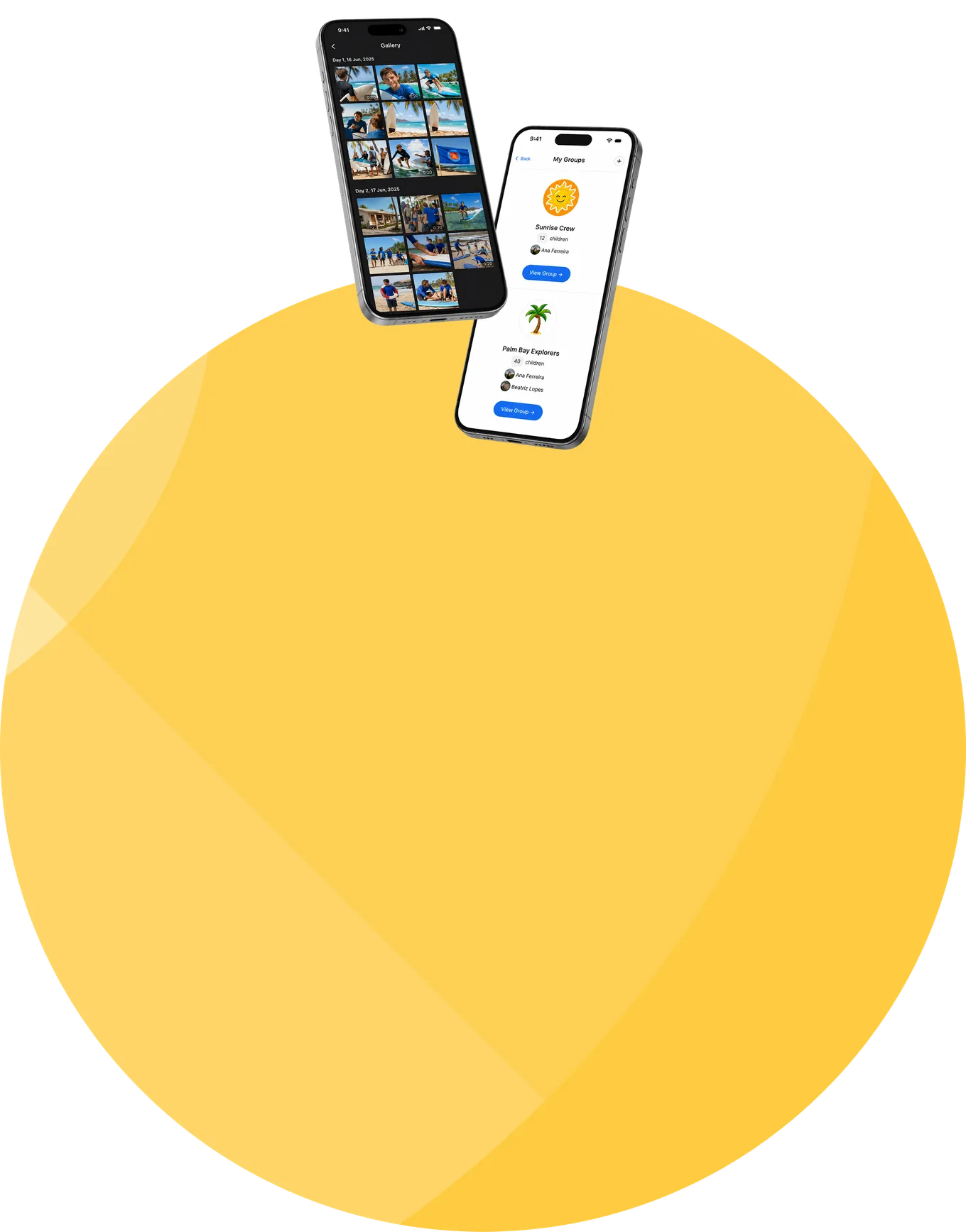
  • A Feed driven by the program The day's activities and updates flow into the Family Feed straight from the schedule, and shared photos from the program arrive in the same place. Families follow camp life without staff rewriting the same information for every channel.
  • Push and email for what matters The Feed is the ongoing record; push notifications and email bring attention to the updates that shouldn't wait for a parent to open the app.
  • One family experience Feed, schedule, onboarding, contacts, reminders, photos, and chat live together in Family. Parents know where to look, not which of five threads to search.
  • The right contacts, visible Parents see the staff connected to their child's session and group, who works with their child, what their role is, and how to reach them, plus any camp contacts the organization chooses to publish.
  • Chat with the right person When a staff member holds the parent-communication permission, Family shows the option to start a one-to-one chat. Staff without it don't become family contacts just because they work the session.
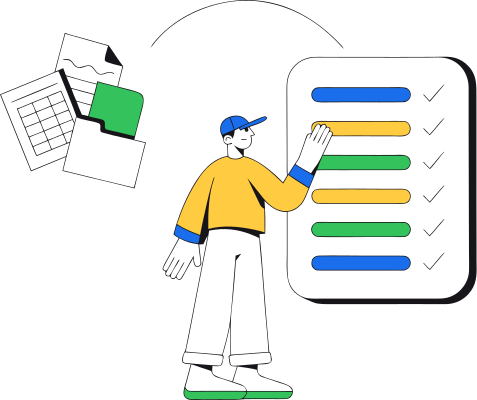
  • Onboarding progress at a glance See how many families are complete and which required form or step is holding the rest, down to the specific bottleneck, not just a percentage.
  • One reminder, exactly the right families Filter parents by onboarding or registration status and send one bulk reminder to those who still need to act, no spreadsheet, no mail merge, no nagging the families who already finished.
  • Conversations that stay with the program Updates, reminders, and chats stay tied to the family and session they belong to, not scattered across personal phones and private inboxes.

Inform everyone automatically. Involve staff by exception.

Level 1: The answer is already there

Schedules, onboarding instructions, required steps, contacts, and past updates live in Family. A parent who can see the day doesn't need to call about it.

Level 2: The news comes to them

The Feed, photos, push, email, and targeted reminders deliver what's relevant before anyone has to ask.

Level 3: A person, when it matters

When the situation genuinely needs a human, the parent starts a chat with an authorized staff member. Direct conversation stays available, it just doesn't have to carry every routine update.

From the camp schedule to an informed family

1

Prepare the family experience

Configure the session information, onboarding, events, contacts, and channels families will use.

2

Choose who may talk to families

Grant the parent-communication permission to the staff members who should be available for family conversations.

3

Parents use Family

Onboarding, Feed, schedule, photos, contacts, reminders, and chat, one connected experience on web and mobile.

4

The program does the talking

Scheduled events generate Feed updates, and push and email carry the important ones to the parent's device.

5

Follow onboarding, remind precisely

Live progress shows which families are complete and which step is stuck; one filtered bulk reminder reaches exactly the parents who still need to act.

6

A parent reaches out when needed

From the contact view, the parent starts a chat with an authorized staff member connected to their context.

7

Staff stay with the children

Routine information is already answered and contact is controlled, fewer questions ever become interruptions.

Better-informed families, fewer interruptions

Parents and guardians

Follow the program and the photos, complete onboarding, get the updates that matter, see who works with their child, and start a chat when personal support is needed.

Operations and registration teams

Watch onboarding completion live, spot the stuck step, and turn follow-up from a spreadsheet exercise into one filtered reminder.

Directors and administrators

Run one consistent communication model across sessions, channels, published information, and parent-facing access, instead of depending on individual staff habits.
Session Coordinators and parent-facing staff

Be the visible, reachable contacts for families, and keep those conversations inside the platform rather than on personal accounts.

Counselors and teachers

Work with the children, without automatically becoming available to every parent. Family-facing availability is a permission, not a side effect of employment.

Communication generated from the same operations families want to understand

From registration

families use the account and child relationship established at signup.

From onboarding

completion status comes from the actual required forms and steps, and feeds the reminder workflow.

From schedule and gallery

events generate Feed updates, and shared photos reach the family view.

Into push and email

important information reaches parents wherever they are.

From assignments and permissions

who a parent sees, and who they can chat with, follows staff assignments and the explicit parent-communication permission.

From Teams

contacts and updates follow the child's group and its responsible staff.

Into Family

everything lands in one parent experience on web and mobile.

Contact with families is deliberate and scoped

  • Staff contact is explicit, not automatic A parent can start a chat only with staff authorized to communicate with parents. Working at the camp doesn't make someone a family contact; the permission does, and when a role, assignment, or permission changes, availability changes with it.
  • Parents see their own family context Parent access follows the established relationship with their own child. The contact and group context never becomes a directory of other people's children.
  • Parent and child communication are separate permissions Authorization to talk to parents does not grant authorization to talk to children. The two remain distinct controls, a staff member may hold one, both, or neither.
  • Sensitive information stays need-to-know A conversation with a parent doesn't expose the child's forms, health fields, incidents, or protected details. That data keeps its own role- and field-level permissions.
  • Certified security management Data is encrypted in transit and at rest using industry-standard controls. CampOrganizer's information security management system is certified according to ISO/IEC 27001:2022 by an independent certification body. The certificate and certified scope are published on the Trust page.

Keep parents connected without turning counselors into a call center

Peace of mind across the distance

A parent who can see the day, the photos, and the plan knows their child is okay, even miles away. That's the promise, and it's kept in one reliable place.
Fewer interruptions, more time with the children

When routine answers are already visible and contact is controlled, the people hired to run the program spend their day running it.
Onboarding that finishes on time

Live progress and filtered reminders turn pre-season follow-up into a workflow, not a manual chase through a spreadsheet.
A controlled channel, not a personal number

Families reach the right, visible person through the platform. Nobody hands out a private phone to two hundred parents.

Relevant, not relentless

Targeting by status means the reminder goes to the twelve families who need it, not to the two hundred who already finished.

The organization keeps its communication

Updates, permissions, and conversations stay part of the program, not lost in personal inboxes and external chat groups when the season ends.
Frequently asked questions about camp parent communication

Does CampOrganizer have a parent app?
Yes. Family gives parents onboarding, the Feed, schedule information, photos, staff contacts, reminders, and in-platform chat, in one experience on web and mobile.
How do parents receive updates?
The day's events generate updates in the Family Feed, shared photos arrive in the same place, and push notifications and email carry the important ones. Updates and contacts follow the child's session and Team, so families see what's relevant to their own child's group.
Can parents message staff?
Yes, with staff who hold the parent-communication permission. Family shows the option to start a one-to-one chat with the right person.
Can every staff member chat with parents?
No. Parent communication is an explicit permission. Being assigned to a camp, session, or Team doesn't make a staff member available for family chat.
Who can a parent contact?
The staff connected to their child's session and group, with role and name visible, plus any additional camp contacts the organization publishes.
Do staff need to share personal phone numbers?
No. Conversations happen through the platform, so nobody distributes private contact details or moves families to personal messaging accounts.
Can we remind only the families who haven't finished onboarding?
Yes. Filter parents by onboarding or registration status, down to the specific outstanding form, and send one bulk reminder to exactly that audience.
Is parent communication different from child communication?
Yes. They are separate permissions. A staff member may hold one, both, or neither, according to their responsibility.
Does CampOrganizer replace all direct communication with staff?
No, it replaces the routine part. Clear information and proactive updates answer the everyday questions, and direct chat stays for the situations that genuinely need a person.
How does CampOrganizer protect family and child information?
Parent access follows the established family relationship, parent-facing staff are explicitly authorized, and sensitive participant data keeps its own role- and field-level permissions. CampOrganizer's information security management system is certified according to ISO/IEC 27001:2022.

Keep families informed. Keep staff focused.

In a 30-minute demo, we'll show how the schedule-driven Feed, photos, push and email, onboarding progress, targeted reminders, visible contacts, and permission-based chat come together in one family experience.

© 2026 CampOrganizer. All rights reserved.