Launch a new platform
You have no learning platform yet, or you are leaving a tool that charges per user. We go from an empty server to a branded platform with your first courses and a trained team.

Courses, assignments, quizzes, grades, and a clear record of who completed what, in one place your organization controls. CampOrganizer is an independent provider that installs and customizes Moodle LMS, the open-source learning management system used by schools, universities, and training teams around the world. You receive your own platform, configured around your courses, in your colors, with your team trained to run it.
No license fee per learner. Hosting where you choose. No CampOrganizer plan required.

Moodle LMS is software for organizing teaching and training. Teachers and trainers build courses in it. Learners log in, work through the materials, hand in assignments, and take quizzes. Managers see who has started, who has finished, and how well. It has been developed for more than twenty years and is one of the most widely used learning platforms in education. It is open source, which means there is no license fee per learner, you decide where it is hosted, and you are free to choose who maintains it. What open source does not give you is a finished platform. Someone has to install it, secure it, shape it around your courses, connect it to your other systems, and teach your team to use it. That is the work we do. You get the platform. We do the setup. You keep control. CampOrganizer is an independent company. We are not a Moodle Certified Partner and are not affiliated with Moodle Pty Ltd.
A typical implementation covers the items below. Which of them are in your project is agreed in the estimate, so a small project is not priced like a large one.
Course content comes from you. We set up the structure and load the materials you provide. Writing, recording, or redesigning course content is a separate service and is included only when the estimate says so. Ongoing maintenance is available if you want it. It is never a condition for using your platform.
You may be starting from nothing, or you may already run Moodle LMS and need it repaired or extended. The project starts where you are.
You have no learning platform yet, or you are leaving a tool that charges per user. We go from an empty server to a branded platform with your first courses and a trained team.
You already run a Moodle-based site that is outdated, slow, or tied to a provider you want to leave. We review the version, plugins, courses, and user data, then upgrade or migrate it with the critical workflows tested before anything changes for your learners.

The platform works, but something is missing: sign-in with your organization's accounts, a link to your HR or student system, a special enrollment process, a custom report, or a connection to CampOrganizer. We check first whether a maintained plugin already does the job, and build only what is actually missing.
One place for staff onboarding, professional development, and mandatory training across all your locations, with a record you can show an inspector.

Consistent training for volunteers, mentors, and coordinators, including safeguarding and introductory courses, without a bill that grows with every volunteer.
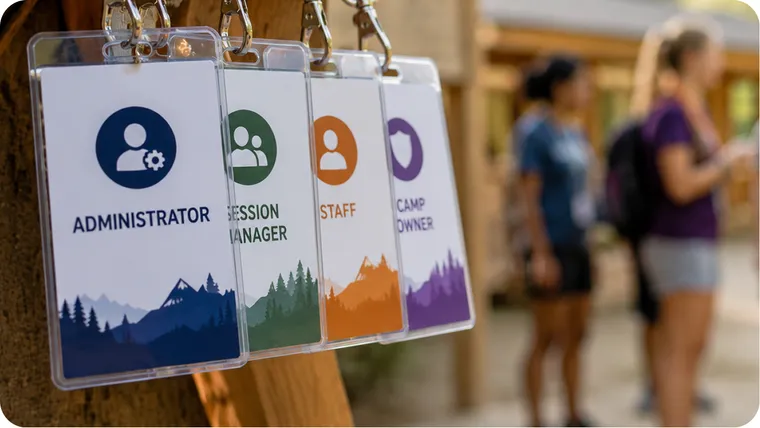
Teacher-led, self-paced, or blended courses with assignments, assessments, and learner groups, under your own brand.

Upgrades, migrations, integrations, and custom extensions for an existing installation, delivered with the documentation your IT and procurement teams expect.

Is your main job running camps, registrations, and families rather than courses? That is what CampOrganizer is for. Planning structured online programs that learners work through on their own, built by a team of course authors? Explore an online academy based on the Open edX platform. The overview compares all three.
We ask who will learn, who will teach, what must be tracked, and which systems you use today. You do not need to prepare a specification.

You receive the scope, the timeline, and the price, with a clear list of what is included and what is not. Nothing starts before you approve it.

We build the platform in a test environment you can log into, so you see it take shape and can ask for changes early.
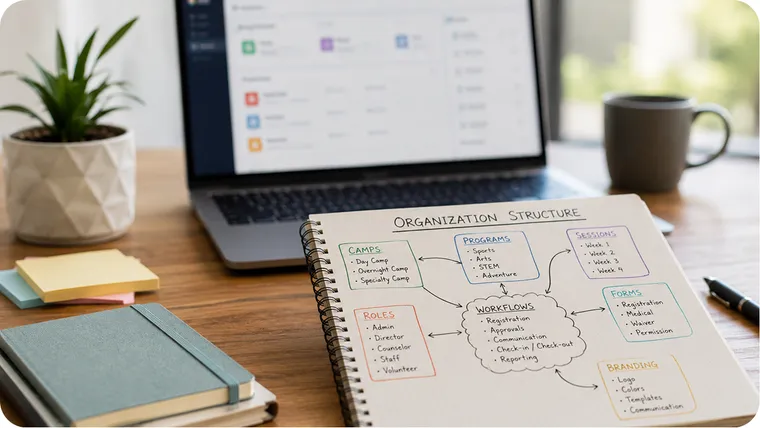
We test the key journeys for learners, teachers, and administrators, train your team, and move the platform to live use.

You receive the documentation and all credentials. From here you run the platform yourself, with your IT team, with another supplier, or with us under a maintenance agreement.

Anything outside the agreed scope is quoted in writing before it is built.
Both give you the same platform, your brand, and your own address. They differ in who operates the servers and how you pay over time.

We install the platform on your own servers (on-premises) or in a cloud account you control, and hand it over with the documentation and the agreed custom work. You pay for the implementation once. From then on, your IT team, another supplier, or we under a support agreement keep it running. This is the option for institutions that require on-premises deployment or full control of the environment.
We can host and operate the platform for you for a regular fee. A service agreement states exactly what the fee covers: the infrastructure, routine updates and security patches, backups, monitoring, and the response and recovery times we commit to. Major version upgrades, and the work needed to keep custom extensions compatible with them, are estimated separately before they are due. The agreement also describes how you leave: your data, your configuration, and your custom work are handed over, so the platform can continue on your own infrastructure.
An address such as learn.yourorganization.org works with both options. A domain decides what your learners type into the browser. It does not mean you need your own servers. Choosing your address and choosing where the platform runs are two separate decisions.
| Self-hosted | Managed hosting | |
|---|---|---|
| Where it runs | Your servers or your cloud account | Infrastructure we operate for you |
| What you pay | One-time implementation, plus your own hosting | One-time implementation, plus a regular fee |
| Routine updates, backups, monitoring | Your IT team, another supplier, or us by agreement | Included, as defined in the service agreement |
| Major version upgrades | Planned and estimated as a project | Estimated separately, before they are due |
| Your own domain and brand | Included | Included |
| Documentation and custom work | Handed over at the end of the project | Yours, and handed over if you move |
| Mandatory software subscription | No | No |
You can start with managed hosting and move to your own infrastructure later, or the other way around.
Open source removes the license fee. It does not make a platform free to run, and you should not hear that only after you have signed. Your estimate separates these items:
| Cost | When | What it covers |
|---|---|---|
| Software license | Never | The open-source Moodle LMS software has no license fee and no charge per learner. |
| Setup project | Once | Analysis, installation, configuration, branding, first courses, training, documentation. |
| Hosting | Ongoing | Self-hosted: servers and storage, paid to your own provider. Managed hosting: included in the regular fee. |
| Maintenance | Ongoing | Updates, security patches, backups, monitoring. Self-hosted: your IT team, another supplier, or us by agreement. Managed hosting: routine maintenance is included; major upgrades are estimated separately. |
| Optional extras | Only if you want them | Some plugins, connected services, and premium mobile app plans are paid products. We list each one we propose. |
| Custom development | Only if needed | Integrations and features the standard platform and existing plugins do not cover. |
How many learners the platform can serve depends on the hosting, not on a license. We size it for the numbers you expect. This offer is based on the open-source Moodle LMS. Moodle Workplace and MoodleCloud are separate commercial products and are not part of it. Request an estimate
CampOrganizer is our ready-to-use platform for running camps and youth programs. A course LMS built on Moodle software is for teaching, learning activities, assessment, and progress. They are built around different daily work.
| What you need | CampOrganizer | Course LMS Moodle LMS |
|---|---|---|
| Main purpose | Run camps, programs, participants, and daily operations | Deliver, manage, and assess structured learning |
| Registration and admissions | Applications, forms, participant records, and admissions | Account creation and course enrollment; full admissions need other tools |
| Parents and guardians | Dedicated family experience: onboarding, updates, photos, payments | No family workflow as standard |
| Schedules | Sessions, groups, and daily activity schedules | Course calendars and deadlines |
| Attendance and check-in | On-site attendance, check-in, and authorized pickup, with optional NFC/QR bracelets | Classroom attendance through a plugin; no pickup procedures |
| Staff | Staff assigned to sessions, groups, and responsibilities | Teacher roles, cohorts, and course groups |
| Courses and materials | Courses tied to sessions and teams | Extensive course building and resource management |
| Assignments and grading | Homework, quizzes, review, and progress | Question banks, graded assignments, detailed grading rules, and a gradebook |
| Certificates and badges | Certificates and badges inside the platform | Badges built in; certificates through a plugin |
| Payments | Invoices, payments, and add-ons for programs | Not a registration or finance system; integrations are needed |
| Mobile apps | Separate apps for staff, families, and participants | Official app for learners and teachers; some features are in paid plans |
| Deployment | Hosted SaaS, operated by us. No self-hosted edition. | Self-hosted on your infrastructure, or managed hosting |
| How you pay | Usage-based or subscription plans; White Label by subscription | One-time implementation, then hosting and maintenance. No license fee per learner. |
| Ownership | Your data is yours and exportable. The platform remains our service. | Your installation and your data. The software is open source. |
| Best fit | Camps, youth programs, clubs, and on-site operations | Schools, training centers, staff learning, and blended education |
These are two different categories, not a ranking. An attendance plugin in an LMS, for example, does not replace a camp's child handover procedure.
Your course LMS is independent. It does not need CampOrganizer, and CampOrganizer does not need it. If you run both, they can share the work. CampOrganizer handles registration, families, staff assignments, schedules, and attendance. The LMS handles in-depth coursework and assessment. We can build the link between them, for example enrolling the staff of a session into the right courses, or sending course completions back to each person's record. That link is designed for your setup and quoted with the project. → Compare the platforms · Explore CampOrganizer
A proposal can address the points your review needs: • Deployment model: on-premises, your cloud account, or managed hosting, with responsibilities stated for each. • Architecture, hosting location, data residency, and separation of test and live environments. • Authentication, single sign-on, roles, enrollment methods, and integration interfaces. • A plugin inventory with license review, version compatibility, and maintenance risk. • Migration plan, backup and recovery, upgrade testing, and rollback. • Personal data: processing roles, retention, access rights, and a data processing agreement where we handle data on your behalf. • Accessibility requirements, tested on your actual configuration and content. • Acceptance criteria, training plan, documentation, source code of custom work, and exit support. Installing open-source software does not make a platform secure or GDPR-compliant by itself. Both depend on configuration, hosting, plugins, and contracts, so we define them for your installation instead of assuming them. Preparing a tender or an RFP? Email the specification to hello@camporganizer.app. We will mark which requirements the standard platform covers, which need a plugin, and which need development.
We are opening a small number of launch-partner projects for 2027. Launch partners receive preferential implementation terms and work directly with our senior team. In return, we ask for permission to publish a short case study once the platform is live. Write "launch partner" in the form, and we will tell you on the call whether a place is open.
Tell us a little about your project. We'll get back to you.

In a 30-minute call, we go through your learners, your courses, and your current tools. You then receive a written estimate with scope, timeline, and price.
CampOrganizer APP GmbH is an independent provider of software implementation and custom development services. It is not a Moodle Certified Partner and is not affiliated with, certified by, sponsored by, or endorsed by Moodle Pty Ltd or the Moodle project. The word Moodle and associated Moodle logos are trademarks or registered trademarks of Moodle Pty Ltd or its related affiliates.
© 2026 CampOrganizer. All rights reserved.